


 收藏人数:
收藏人数:
 下载插件并导入HBuilder
 赞赏(0)
赞赏(0)
更新记录
1.6.0(2026-10-13) 下载此版本
更新文档,开源
1.5.12(2026-10-08) 下载此版本
更新文档
1.5.11(2026-10-01) 下载此版本
国庆期间所有付费插件5元,节后恢复原价
查看更多平台兼容性
uni-app x(5.07)
| Chrome | Safari | Android | iOS | 鸿蒙 | 微信小程序 |
|---|---|---|---|---|---|
| √ | √ | √ | √ | √ | √ |
其他
| 多语言 | 暗黑模式 | 宽屏模式 | 蒸汽模式 |
|---|---|---|---|
| × | × | × | √ |
sunrains-face
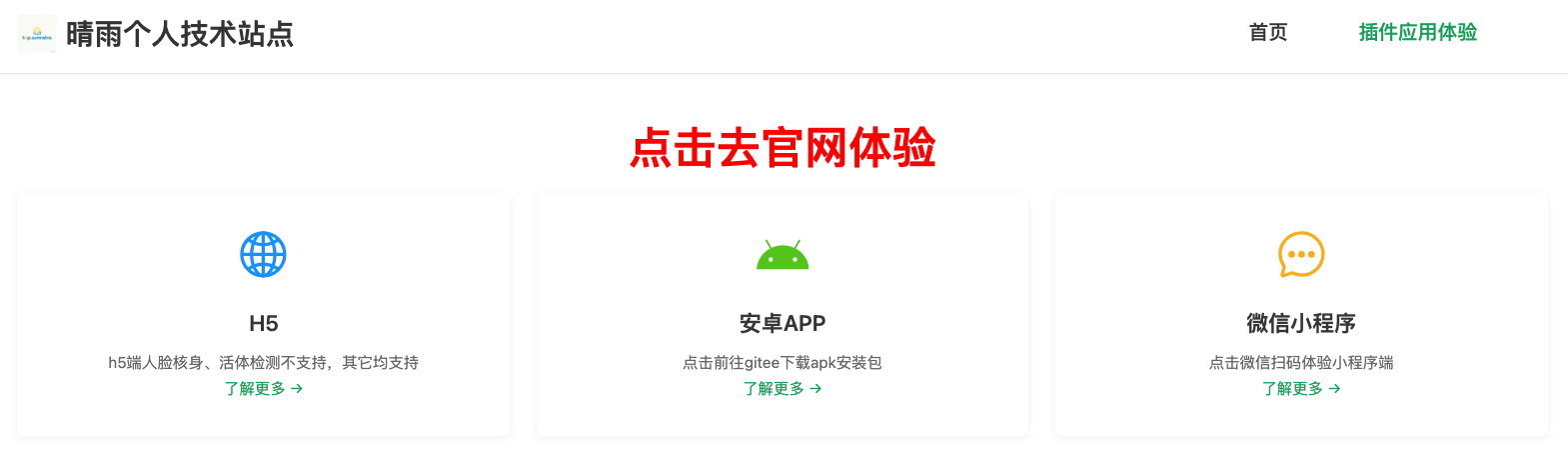
点击进入管理后台
人脸识别相关、证件OCR相关服务端 git地址:https://gitee.com/sunyinhuia/sunrains-java
在使用插件过程中遇到问题 请进群交流
服务端配套支持 1:网络请求解密,验签,返回结果加密;2:身份证ocr识别 3:人脸注册,识别,人证比对 4:活体检测 5:人脸核身 6:车牌号识别
注:活体检测、人脸核身 页面用到camera组件,camera组件官方只支持 小程序、ios、安卓端,其它平台可自己录制视频,直接调用插件中api(全平台支持)
开发文档
pages.json 添加以下路径
{
    "path": "uni_modules/sunrains-face/utssdk/face-compare",
    "style": {
        "navigationBarTitleText": "人脸比对"
    }
},
{
    "path": "uni_modules/sunrains-face/utssdk/face-rec",
    "style": {
        "navigationBarTitleText": "人脸识别"
    }
},
{
    "path": "uni_modules/sunrains-face/utssdk/face-register",
    "style": {
        "navigationBarTitleText": "人脸注册"
    }
},
{
    "path": "uni_modules/sunrains-face/utssdk/facePage",
    "style": {
        "navigationBarTitleText": "人脸库"
    }
},
{
    "path": "uni_modules/sunrains-face/utssdk/facedetail",
    "style": {
        "navigationBarTitleText": "人脸详情"
    }
},
{
    "path": "uni_modules/sunrains-face/utssdk/livenessDet",
    "style": {
        "navigationStyle": "custom",
        "navigationBarTitleText": "人脸核身、活体检测"
    }
}
请求配置文件 faceConf.uts
//服务请求地址前缀
import {serverPrefix} from "@/baseconf.uts"

//普通请求超时时间
export const comTimeOut = 5000

//含文件上传请求超时时间
export const formDataTimeOut = 8000

export const compareFaceBucketName = "face"

//通信加密方式  "sign" | "sm4Encrypt" | "signwithenSM2-Sm4Encrypt" | "void"
export const reqFlag = "signwithenSM2-Sm4Encrypt"

//服务端实际成功值
export const successCode = 0

//注册
export  const registerInfoUrl = serverPrefix+"/face/registerInfo"

//比对
export  const compareUrl = serverPrefix+"/face/featureComparison/urls"

//识别
export  const faceRecUrl = serverPrefix+"/face/faceSearch"

//上传文件
export  const fileStoreUrl = serverPrefix+"/apicommon/minio/fileStore"

//分页
export  const pageUrl = serverPrefix + "/face/listFaces"

//删除
export  const delFaceUrl = serverPrefix + "/face/delFaceInfoById"

//详情
export  const faceInfoUrl = serverPrefix + "/face/getFaceInfoById"

//更新
export  const updataFaceUrl = serverPrefix + "/face/updateFaceInfo"

//文件存储地址前缀
export const minioOutUrl = serverPrefix + "/apicommon/getMinio/outUrl"

/***************活体检测、人脸核身相关***************************/
export const livenessDetCodeNoUrl = serverPrefix+"/face/gen/livenessDetect/code"
export const livenessDetResultUrl = serverPrefix+"/face/livenessDetect/result"
export const livenessDetUrl = serverPrefix+"/face/livenessDetect/by/video"
/*************************************************************/

//根据业务去处理请求头
export function handleRequestHeader() : UTSJSONObject {
    return {}
}

type Keys = {
    priKey:string,
    pubKey:string
}

//根据业务获取实际key值
export function getPubAndPriKey():Keys{
    return {
         priKey:"4a4a1d48fc284fe2fc43970641880554aed2f69fdfbea63257ea417af4e65802",
         pubKey:"0460e86263ec52b38a3da24c7a605055d14f8aa5c7855e4f4e19819f4f8a5b72181afd7aa4ab19255eb871eaedaba30fa18cd5c71693d3d76b030a04969bd1edfe"
    }
}
face.uvue 示例代码
<template>
    <scroll-view style="flex:1" class="contain">
        <navigator class="obox obox1" hover-class="tap-active" url="/uni_modules/sunrains-face/utssdk/face-register">
            <view class="sbox">
                <view class="icon">
                    <image class="iconimg" src="/static/人脸注册.png" mode="aspectFill"></image>
                </view>
                <view class="tbox">
                    <text class="title">
                        人脸注册
                    </text>
                    <text class="desc">
                        注册人脸信息
                    </text>
                </view>
            </view>
        </navigator>
        <navigator url="/uni_modules/sunrains-face/utssdk/facePage" class="obox" hover-class="tap-active">
            <view class="sbox">
                <view class="icon">
                    <image class="iconimg" src="/static/人脸查询.png" mode="aspectFill"></image>
                </view>
                <view class="tbox">
                    <text class="title">
                        人脸库
                    </text>
                    <text class="desc">
                        查询已注册的人脸信息
                    </text>
                </view>
            </view>
        </navigator>
        <navigator class="obox" hover-class="tap-active" url="/uni_modules/sunrains-face/utssdk/face-compare">
            <view class="sbox">
                <view class="icon">
                    <image class="iconimg" src="/static/人脸比对.png" mode="aspectFill"></image>
                </view>
                <view class="tbox">
                    <text class="title">
                        人脸比对
                    </text>
                    <text class="desc">
                        比对两张人脸相似度
                    </text>
                </view>
            </view>
        </navigator>
        <navigator class="obox" hover-class="tap-active" url="/uni_modules/sunrains-face/utssdk/face-rec">
            <view class="sbox">
                <view class="icon">
                    <image class="iconimg" src="/static/识别人脸.png" mode="aspectFill"></image>
                </view>
                <view class="tbox">
                    <text class="title">
                        人脸识别
                    </text>
                    <text class="desc">
                        根据人脸查询注册信息
                    </text>
                </view>
            </view>
        </navigator>
        <navigator class="obox" hover-class="tap-active" url="/pages/face/livenessdet">
            <view class="sbox">
                <view class="icon">
                    <image class="iconimg" src="/static/识别人脸.png" mode="aspectFill"></image>
                </view>
                <view class="tbox">
                    <text class="title">
                        活体检测
                    </text>
                    <text class="desc">
                        静默活体检测
                    </text>
                </view>
            </view>
        </navigator>
        <navigator class="obox oboxend" hover-class="tap-active" url="/pages/face/livenessdets">
            <view class="sbox">
                <view class="icon">
                    <image class="iconimg" src="/static/识别人脸.png" mode="aspectFill"></image>
                </view>
                <view class="tbox">
                    <text class="title">
                        人脸核身
                    </text>
                    <text class="desc">
                        人脸核身
                    </text>
                </view>
            </view>
        </navigator>
        <view class="obox">
            <view>
                <text style="text-align: center; font-weight: bold; font-size: 40rpx;margin-top: 15rpx;">人脸识别结果</text>
            </view>
            <view class="userinfo">
                <view class="imgbox">
                    <image class="img" :src="minioOutUrl+userInfo.faceUrl" mode="widthFix"></image>
                </view>
                <view class="info">
                    <text class="text">姓名:{{userInfo.userName}}</text>
                    <text class="text">证件号码:{{userInfo.idNumber}}</text>
                    <text class="text">联系方式:{{userInfo.phone}}</text>
                </view>
            </view>
        </view>
    </scroll-view>
</template>

<script setup lang="uts">
    import { RecFaceRes } from "@/uni_modules/sunrains-face/utssdk/interface.uts"
    import { getMinioOutUrl } from "@/uni_modules/sunrains-face/utssdk/handleService.uts"
    import { ReqApi } from '@/uni_modules/sunrains-request'
    import { Response, FrontRequestVo } from '@/uni_modules/sunrains-common-type'
    import { serverPrefix } from "@/baseconf.uts"

    const minioOutUrl = ref("")

    const userInfo = reactive({
        userName: '',
        idNumber: '',
        faceUrl: '',
        phone: ''

    })

    function faceRegisterSuccess(res : string) {
        console.log("faceRegisterSuccess===", res)
    }

    function faceRecSuccess(res : RecFaceRes) {
        if (res != null) {
            userInfo.userName = res.userName ?? ''
            userInfo.idNumber = res.idNumber ?? ''
            userInfo.phone = res.phone ?? ''
            userInfo.faceUrl = res.faceUrl != null ? res.faceUrl + '?r=' + Math.random() : ''
        }
    }

    onMounted(() => {
        uni.$off("sunrains-face-register")
        uni.$on("sunrains-face-register", faceRegisterSuccess)
        uni.$off("sunrains-face-rec")
        uni.$on("sunrains-face-rec", faceRecSuccess)
        const load = async () => {
            try {
                let outUrl = await getMinioOutUrl()
                minioOutUrl.value = outUrl
            } catch (err : UniError) {
                uni.showToast({
                    title: err.errMsg,
                    icon: "none",
                    duration: 3000
                })
            }
        }
        load();

    })

    onLoad(() => {

    })
</script>

<style scoped lang="scss">
    .contain {
        background: rgba(250, 248, 241, 0.8);
    }
    .oboxend{
        border:1px solid red;
        margin-bottom:200px;
    }
    .obox {
        border-radius: 16rpx;
        margin: 10px auto;
        min-height: 200rpx;
        width: 700rpx;
        background: rgba(237, 210, 201, 0.9);
        box-shadow: 0 0 16rpx rgba(26, 12, 8, 1.0);
        .sbox {
            width: 100%;
            height: 100%;
            display: flex;
            flex-direction: row;
            align-items: center;

            .icon {
                margin-left: 30rpx;
                width: 80rpx;
                height: 80rpx;

                .iconimg {
                    width: 100%;
                    height: 100%;
                }
            }

            .tbox {
                margin-left: 10px;
            }

            .title {
                font-weight: bold;
                font-size: 40rpx;
                line-height: 1.5;
                letter-spacing: 2rpx;
                font-family: cursive;
            }

            .desc {
                font-size: 30rpx;
                color: #555;
                line-height: 1.5;
                letter-spacing: 2rpx;
                font-family: cursive;
            }
        }

        .userinfo {
            // border: 1px solid red;
            width: 100%;
            height: 300rpx;
            display: flex;
            flex-direction: row;
            align-items: center;

            .imgbox {
                margin: 10rpx;
                width: 160rpx;
                border-radius: 10px;

                .img {
                    width: 160rpx;
                }
            }

            .info {
                // border:1px solid red;
                margin-left: 30rpx;

                .text {
                    font-size: 30rpx;
                    line-height: 3;
                }
            }
        }
    }

    .tap-active {
        transform: scale(0.97);
        opacity: 0.7;
    }

    .obox1 {
        margin-top: 20px;
    }

</style>
活体检测 调用方示例
<template>

    <scroll-view style="flex:1">
        <view class="out">
            <view class="body1">
                <text class="title">当前业务需要验证是否是活体</text>
            </view>
            <view class="body2">
                <button type="primary" @click="start">开始活体检测</button>
            </view>

            <view class="body3">
                <text class="label">检测结果</text>
                <view class="res" v-if="checkOut.livenessStatus!=null">
                    <text class="res-text">{{"LIVE"==checkOut.livenessStatus?"活体":(checkOut.failDesc??'非活体')}}</text>
                </view>
            </view>
        </view>
    </scroll-view>

</template>

<script setup lang="uts">
    import { LivenessDetCodeNoType, LivenessDetResultType } from "@/uni_modules/sunrains-face/utssdk/interface.uts"
    import { getLivenessDetCodeNo, getLivenessDetResult } from "@/uni_modules/sunrains-face/utssdk/handleService.uts"
    const checkOut = ref<LivenessDetResultType>({
        codeNo: "",
        status: "",
        type: "",
        bestImgSrc: null,
        failDesc: null,
        flag: null,
        idNumber: null,
        livenessStatus: null,
        score: null,
        userName: null,
        videoSrc: null,
        checkTime: null
    })

    async function start() {
        let param : LivenessDetCodeNoType = {
            type: "1"
        }
        const res = await getLivenessDetCodeNo(param)

        if (res.length > 0) {
            uni.navigateTo({
                url: `/uni_modules/sunrains-face/utssdk/livenessDet?codeNo=${res}`,
                success: res => {
                },
                fail: () => { },
                complete: () => { }
            });
        }
    }

    async function checkRes(codeNo : string) {
        const res : LivenessDetResultType | null = await getLivenessDetResult(codeNo)
        if (res != null) {
            checkOut.value = res
        }
        console.log("checkRes==", res)
    }

    onMounted(() => {
        uni.$off("sunrains-liveness")
        uni.$on("sunrains-liveness", checkRes)

    })
</script>

<style scoped lang="scss">
    .out {
        padding: 10px 10px;

        .body1 {
            margin-top: 30px;

            .title {
                font-weight: bold;
                font-size: 20px;
                text-align: center;
            }

            .body {
                margin: 10px 0;

                .label {
                    font-size: 18px;
                }

                .input {
                    height: 40px;
                    border: 1px solid grey;
                    border-radius: 5px;
                    padding-left: 5px;
                }
            }

        }

        .body2 {
            margin: 20px auto;
            width: 50%;

        }

        .body3 {
            background:rgba(241, 221, 220, 1.0);
            .label {
                font-weight: bold;
                font-size: 18px;
            }
            .res {
                .res-text{
                    margin:5px;
                }
                .imgvideo{
                    margin:5px;
                    .res-text{
                        margin:5px 0;
                    }
                }
            }
        }
    }
</style>
人脸核身 调用方示例
<template>

    <scroll-view style="flex:1">
        <view class="out">
            <view class="body1">
                <text class="title">当前业务需要验证真实身份办理</text>
                <view class="body">
                    <text class="label">姓名</text>
                    <input class="input" type="text" v-model="userName" placeholder="请输入姓名" />
                </view>
                <view class="body">
                    <text class="label">证件号码</text>
                    <input class="input" type="idcard" v-model="idNumber" placeholder="请输入证件号码" />
                </view>

            </view>
            <view class="body2">
                <button type="primary" @click="start" :disabled="!open">开始人脸核身</button>
            </view>

            <view class="body3">
                <text class="label">核验结果</text>
                <view class="res" v-if="checkOut.flag!=null">
                    <text class="res-text">人脸核身结果:{{"pass"==checkOut.flag?"通过":"不通过"}}</text>
                    <text class="res-text" v-if="'fail'==checkOut.flag">不通过原因:{{checkOut.failDesc}}</text>
                    <view class = "imgvideo">
                        <text class="res-text">最佳帧照片</text>
                        <image :src="checkOut.bestImgSrc" mode="aspectFit"></image>
                    </view>
                    <view class = "imgvideo">
                        <text class="res-text">核验视频</text>
                        <video :src="checkOut.videoSrc" controls></video>
                    </view>
                </view>
            </view>
        </view>
    </scroll-view>

</template>

<script setup lang="uts">
    import { LivenessDetCodeNoType, LivenessDetResultType } from "@/uni_modules/sunrains-face/utssdk/interface.uts"
    import {getLivenessDetCodeNo, getLivenessDetResult } from "@/uni_modules/sunrains-face/utssdk/handleService.uts"
    const userName = ref('')
    const idNumber = ref('')
    const checkOut = ref<LivenessDetResultType>({
        codeNo: "",
        status: "",
        type: "",
        bestImgSrc: null,
        failDesc: null,
        flag: null,
        idNumber: null,
        livenessStatus: null,
        score: null,
        userName: null,
        videoSrc: null,
        checkTime: null
    })

    const open = computed(() => (userName.value != null && userName.value.length > 0)
        && (idNumber.value != null && idNumber.value.length > 0))

    async function start() {
        let param : LivenessDetCodeNoType = {
            type: "2",
            idNumber: idNumber.value,
            userName: userName.value
        }
        const res = await getLivenessDetCodeNo(param)

        if (res.length > 0) {
            uni.navigateTo({
                url: `/uni_modules/sunrains-face/utssdk/livenessDet?codeNo=${res}`,
                success: res => {
                },
                fail: () => { },
                complete: () => { }
            });
        }
    }

    async function checkRes(codeNo : string) {
        const res : LivenessDetResultType | null = await getLivenessDetResult(codeNo)
        if (res != null) {
            checkOut.value = res
        }
        console.log("checkRes==", res)
    }

    onMounted(() => {
        uni.$off("sunrains-liveness")
        uni.$on("sunrains-liveness", checkRes)

    })
</script>

<style scoped lang="scss">
    .out {
        padding: 10px 10px;

        .body1 {
            margin-top: 30px;

            .title {
                font-weight: bold;
                font-size: 20px;
                text-align: center;
            }

            .body {
                margin: 10px 0;

                .label {
                    font-size: 18px;
                }

                .input {
                    height: 40px;
                    border: 1px solid grey;
                    border-radius: 5px;
                    padding-left: 5px;
                }
            }

        }

        .body2 {
            margin: 20px auto;
            width: 50%;

        }

        .body3 {
            background:rgba(241, 221, 220, 1.0);
            .label {
                font-weight: bold;
                font-size: 18px;
            }
            .res {
                .res-text{
                    margin:5px;
                }
                .imgvideo{
                    margin:5px;
                    .res-text{
                        margin:5px 0;
                    }
                }
            }
        }
    }
</style>
支持与赞赏
如果你觉得本插件解决了你的问题,可以考虑支持作者:
| 微信赞助 |
|---|
 |


 下载 60
下载 60
 赞赏 0
赞赏 0


 下载 12676054
 赞赏 1956





























 赞赏
赞赏

 京公网安备:11010802035340号